Getting started
Installation

First time use
Set card cover color
After installation 'Cover colors' button is available in the card Power-Ups section.
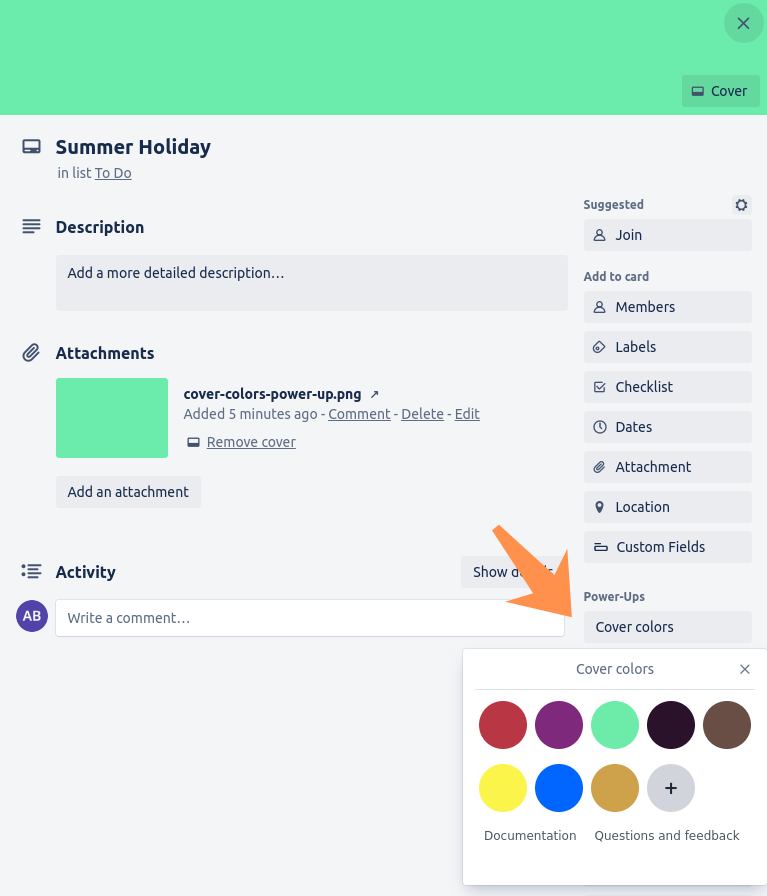
To set cover color, click 'Cover colors' button in the card's Power-Ups section and then click on the color.
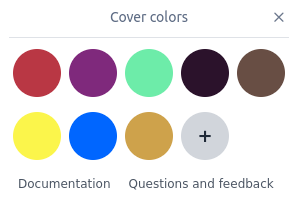
Add your custom color
The power-up includes two predefined colors by default, and users can add their own custom colors.
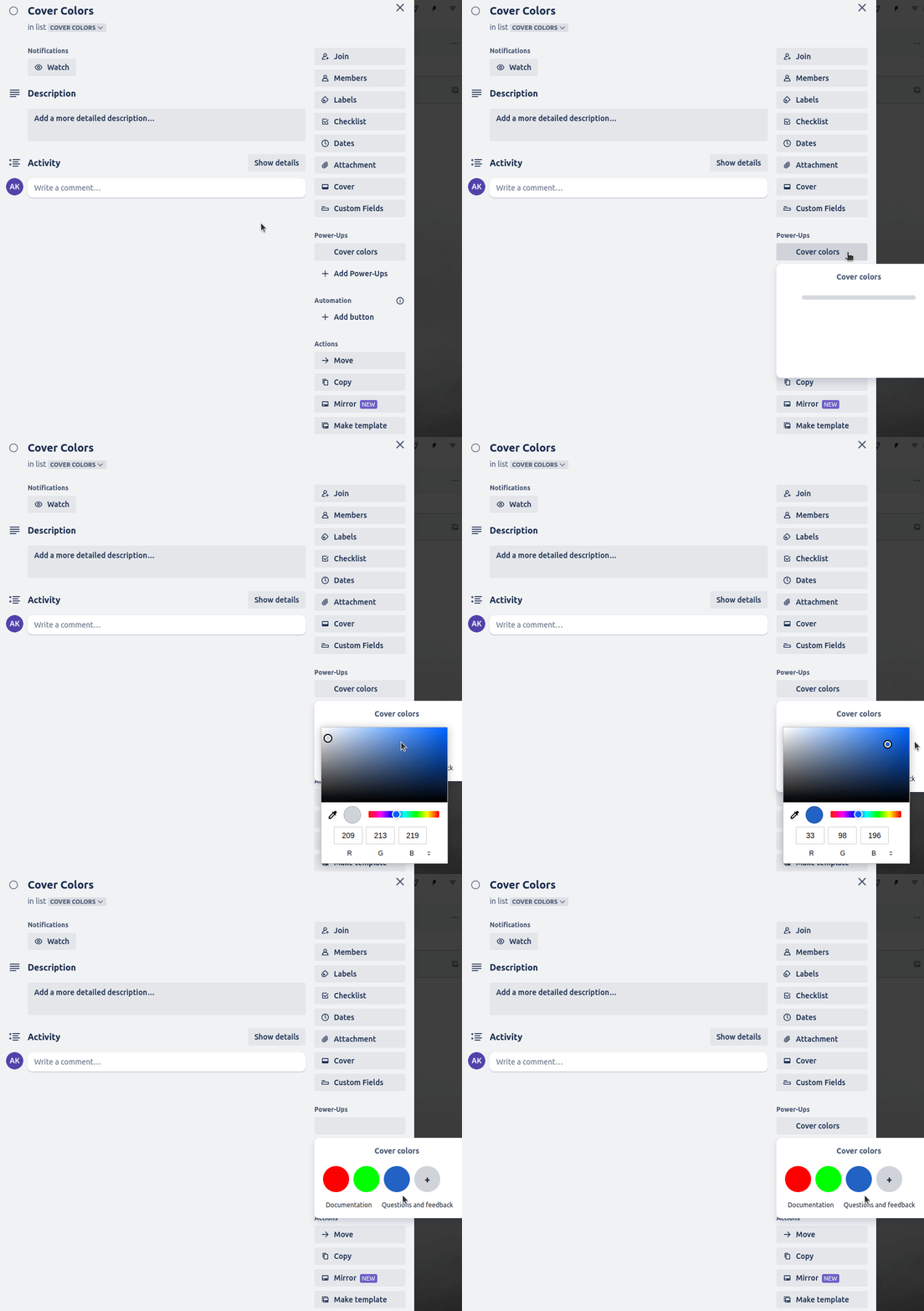
To add a new color:
- Click the "Cover Colors" button in the card’s Power-Ups section.
- Click the "+" button.
- Choose color from the palette or use the color picker.
- Click outside the color picker, then press "Save" to save your new color.
Move, edit and remove colors
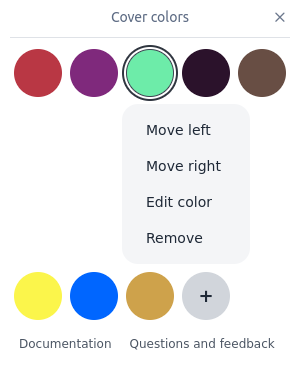
Right click on the color, then select appropriate option.
When editing color, selected color will change to include a '+' sign, click it to change the color, when done click 'Save'.
CSV file import and export
Export/Import is useful to manage large number of colors or to copy colors between boards.
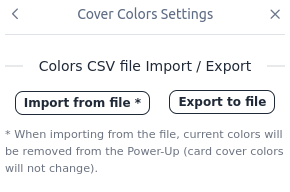
Export colors to CSV file
Go to 'Power-Up' settings, then click 'Export to file' to save CSV file.
Import colors from CSV file
Go to 'Power-Up' settings, then click 'Import from file', select a CSV file with colors, confirmation message will be displayed with number of imported colors.
When importing from file, existing colors will be removed from the Power-Up (new imported colors will replace existing colors). Card cover colors will not change.
Managing large number of colors
Exported CSV file can be modified in Excel, saved as CSV and then imported in the Power-Up settings. For example, you can add, remove and re-order colors in the CSV file.
CSV file can also be created from scratch in Excel.
CSV file format is one color per line e.g.: card-covers-example-colors.csv
#AABBCC
#FF5500
#0000FF
Color is made of three hex numbers, for example #AABBCC, where AA is a red color hex number, BB is green color hex number, CC is blue color hex number.